
Meet Rabbit Hole Studio
Hello! We’re Rabbit Hole Studio.
We’re developing Rabbit Hole - Cozy Animal Farm, a 2D farming simulation game where you can build a cozy farm with cute animal friends. We’re aiming to release the game later this year.
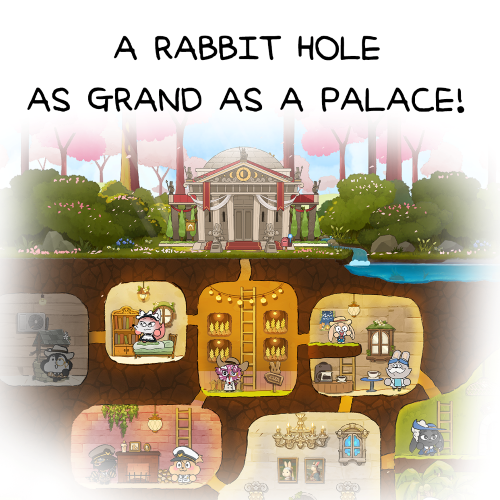
For Playbook #3, we’ll show you how decorating works in your Rabbit Hole.
How to Decorate Your Rabbit Hole
Have you ever played a game where the decorating options felt a little too limited? Maybe you couldn’t move the sofa, or you only had three wallpaper colors to choose from.
In Rabbit Hole - Cozy Animal Farm, you can move more than just your sofa—you can even rearrange the land. You can also change your wallpaper in small 1 m² sections.
Here’s how you can decorate your Rabbit Hole just the way you like it.
#1 Add and Move Furniture and Decor
Have you been earning plenty of coins by selling food and items to your animal friends? Then it’s time to make your Rabbit Hole feel like home.
You’ll find the Decor tab at the end of the Build menu. Here, you can browse furniture and other decorative items.
Buy an item you like, place it wherever you want, and rotate it to face the direction you prefer.
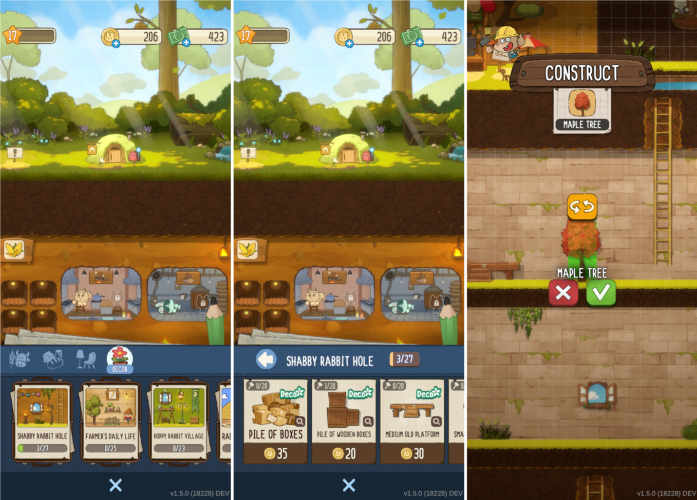
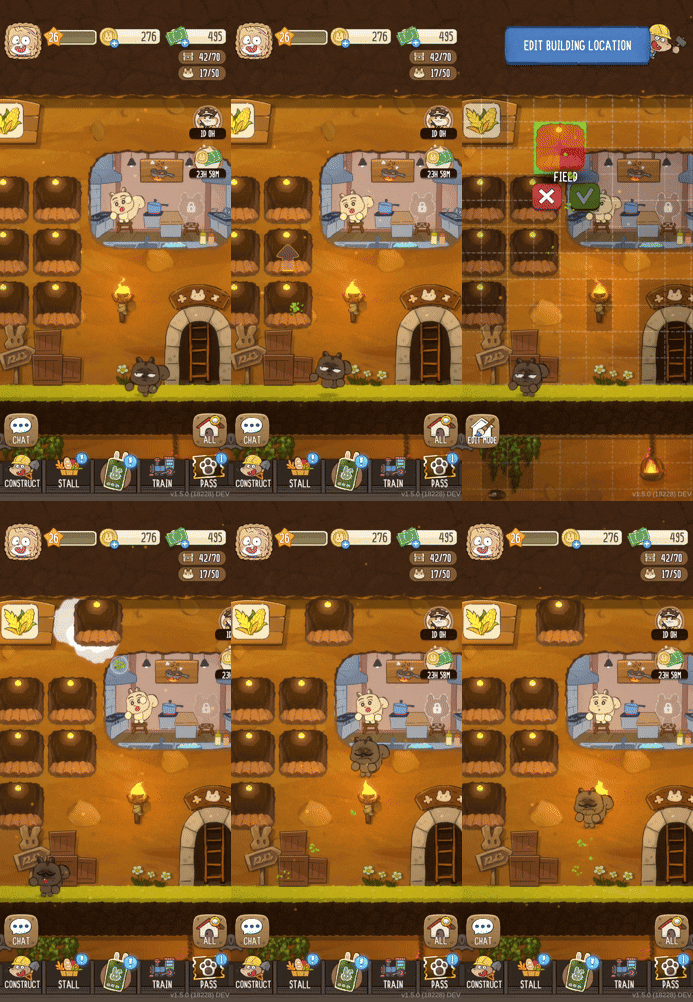
If you want to move an item or put it away, press and hold it. From there, you can change its position or move it to storage.
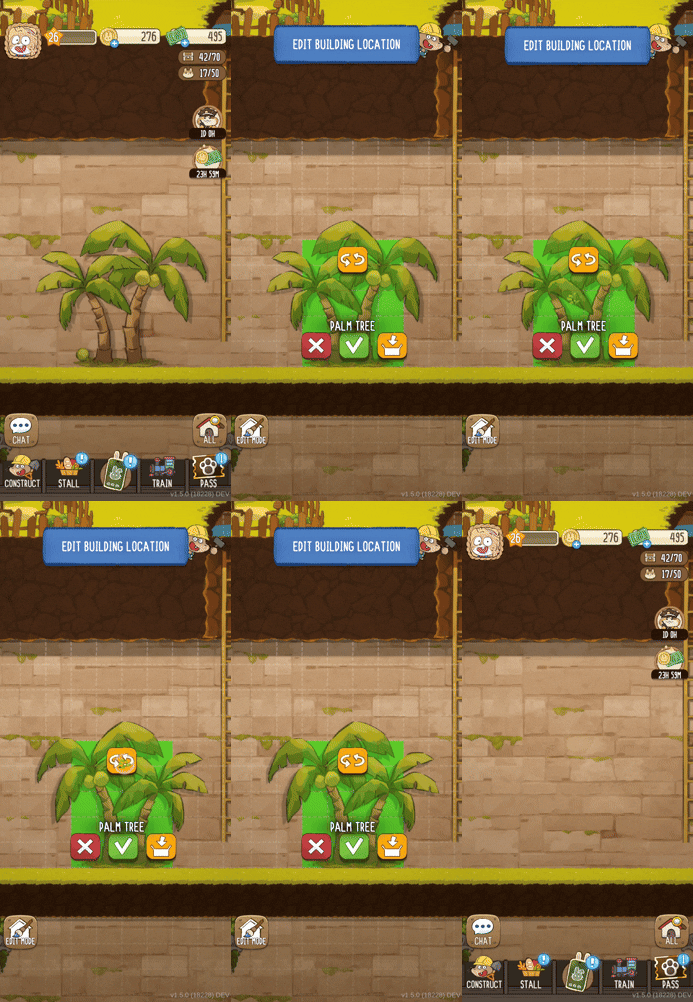
💡 Decorating Tip 1
Furniture isn’t the only thing you can move. Farm plots and production facilities can be moved too—and so can your animal friends! 🐻
💡 Decorating Tip 2
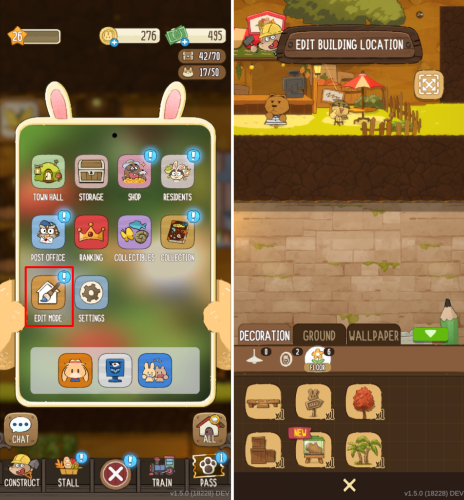
You can find stored items in Edit Mode. Edit Mode lets you move and manage all the objects in your Rabbit Hole.
To open Edit Mode, tap the button in the center of the screen.
#2 Change Your Walls and Floors
Once your furniture and lights are in place, it’s time to work on the wallpaper and flooring.
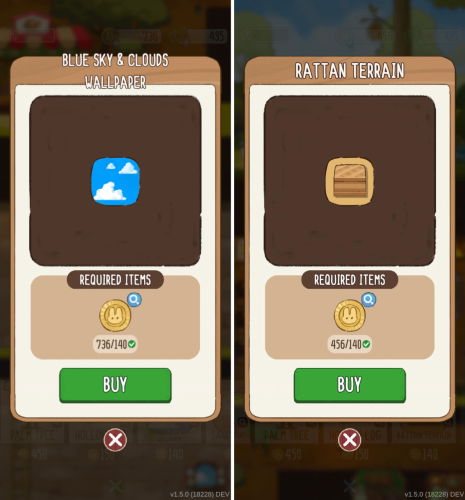
Go to the Decor tab in the Build menu and choose the wallpaper and flooring you like.
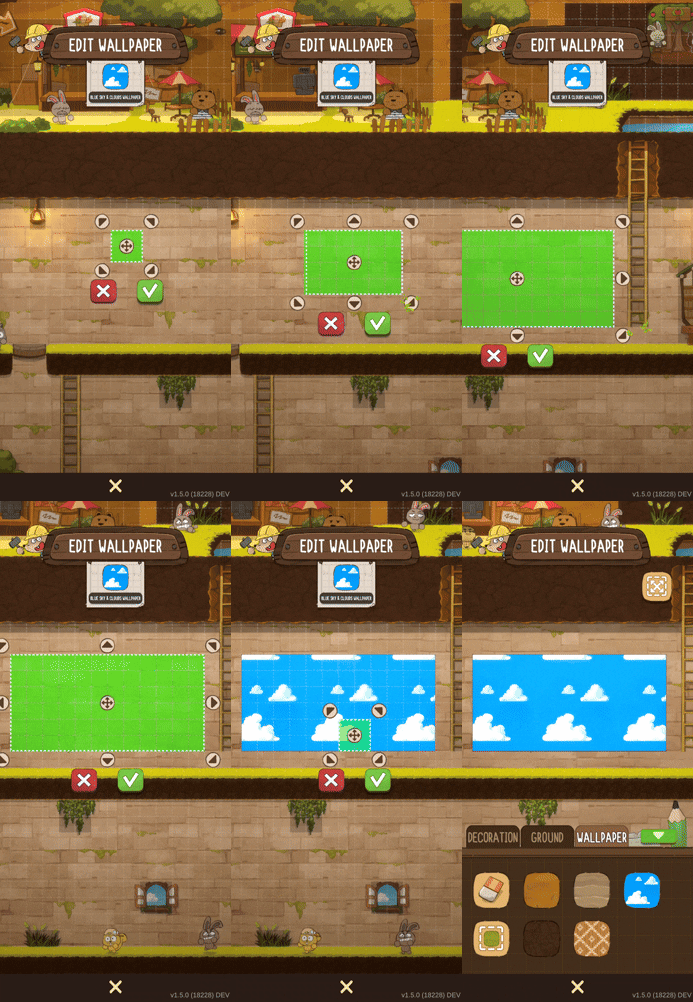
To apply wallpaper, simply drag across the area you want to cover. You can do the same with flooring and add as much as you like.
There’s no extra cost for covering a larger area, so feel free to decorate as much as you want!
💡 Decorating Tip
Changed your mind about your new wallpaper or flooring?
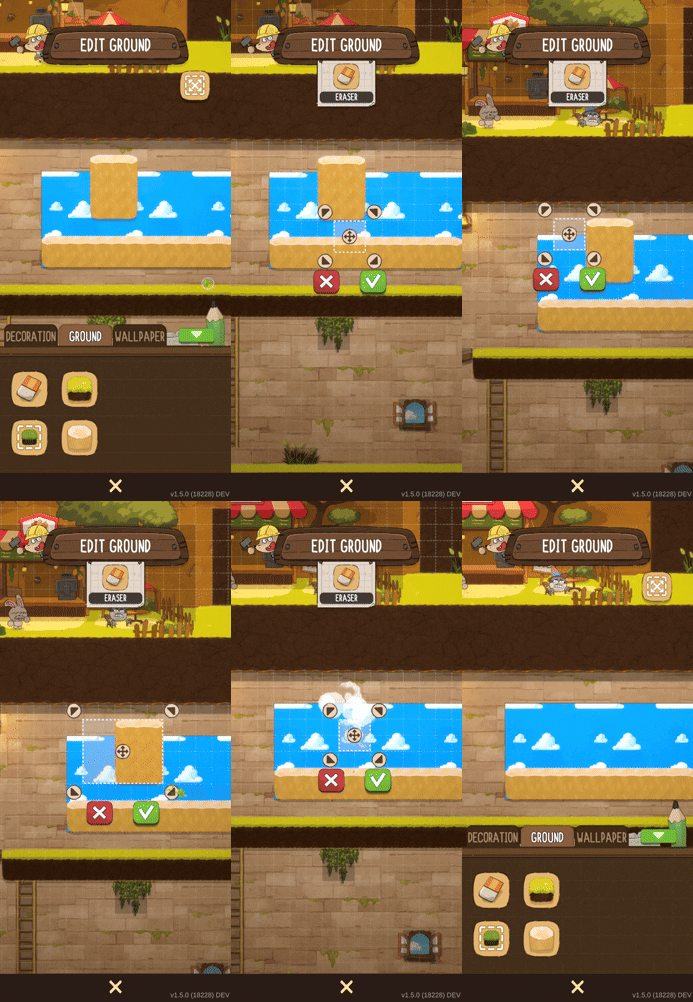
Open Edit Mode, tap the eraser button, and select the area you want to remove.
#3 Want More Furniture and Decor?
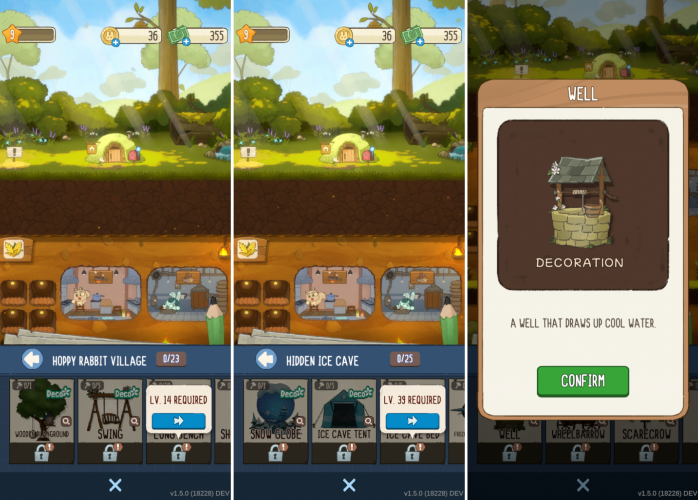
It’s easy. As you level up, you’ll unlock more furniture and decorative items. Check in at certain levels to see what new items have become available.
Tap the magnifying glass icon to preview an item before you unlock it. Keep leveling up until you reach the items you’ve been waiting for! 💪
#4 Clean Up Your Rabbit Hole
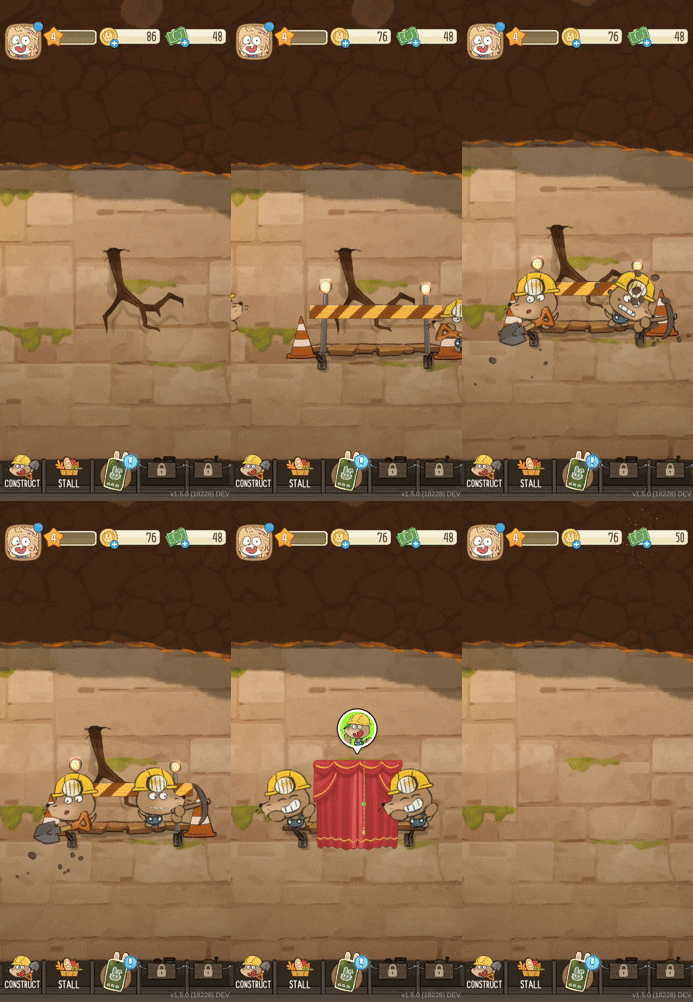
Your Rabbit Hole has been around for a while, so you may find cobwebs here and there or tree roots growing through the walls.
That’s where Master Mole comes in. Ask him to take care of the job, pay the construction cost, and he’ll clear away things like roots and cobwebs.
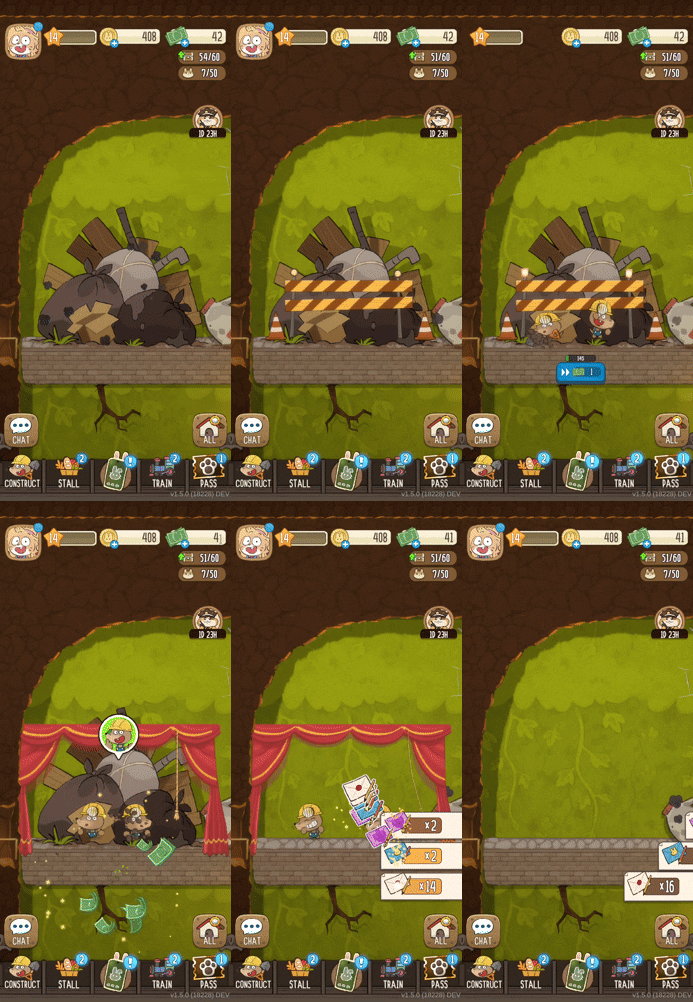
You may also come across larger piles of debris that need a little more work. Give Master Mole, our burrow expert, the tools you collected from the train and let him handle the rest.
💡 Decorating Tip
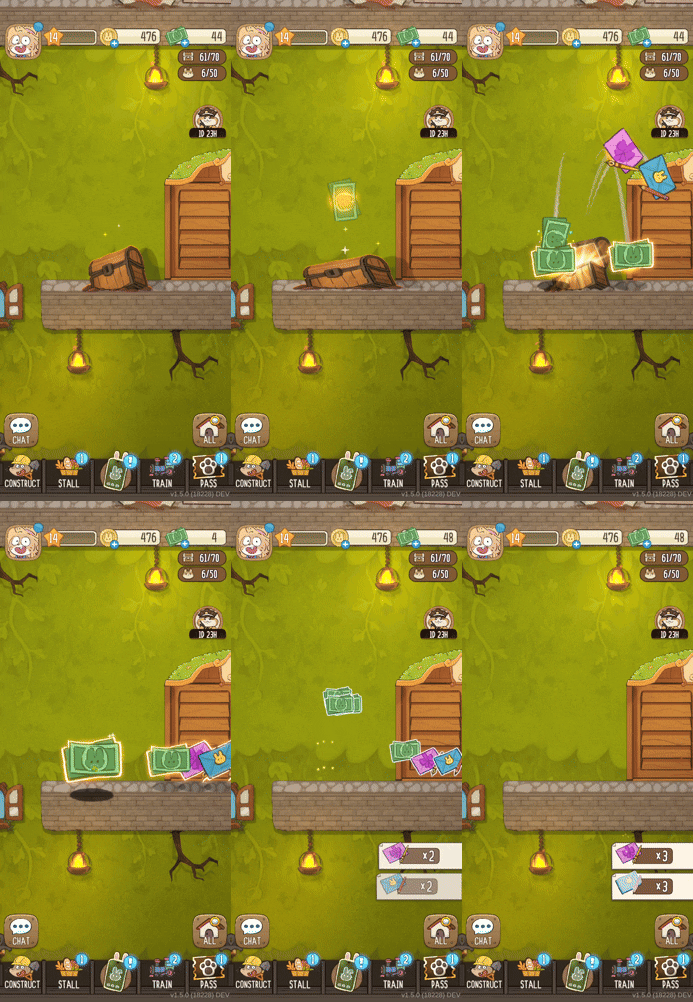
You might even find a treasure chest hidden somewhere in your Rabbit Hole. 🍀
Wrapping Up
Our development team is busy getting the ground ready so we can welcome you to your very own Rabbit Hole soon.
If you’d like to follow along as we get closer to opening the doors, follow us on Facebook and Instagram for the latest news. You’re also welcome to join us on Discord!
In our next Playbook, we’ll introduce the forest and underground habitats around your Rabbit Hole.
You’ll be able to collect interesting insects living nearby, go fishing, and investigate strange traces underground to uncover ancient fossils. We’ll share more in the next Playbook!
Thank you for reading, and we hope to see you again soon.
Warmly,
The Rabbit Hole Studio Team